
We Call - WiFi Calling
Hangout StudioCommunication
4.2132.00 Reviews
- Version
- 1.6.6
- Installs
- 1.00M
- Age Rating
- Everyone
Screenshots
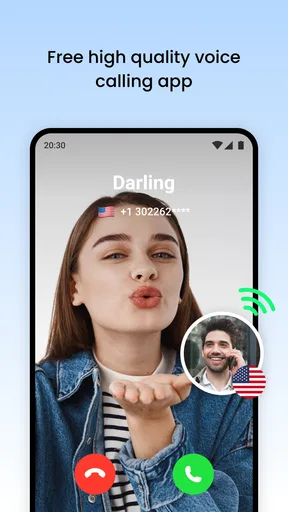
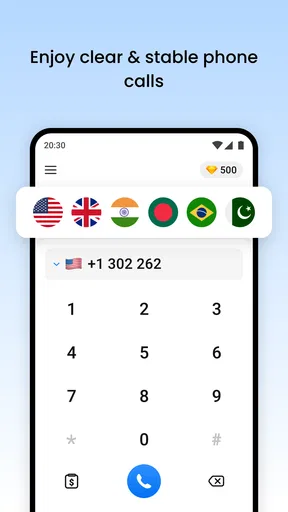
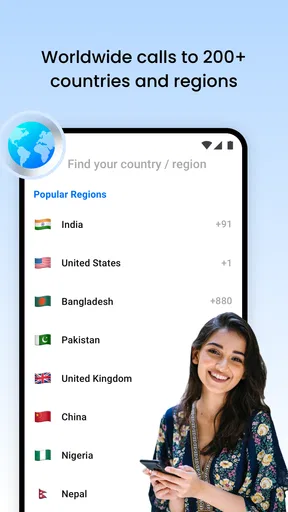
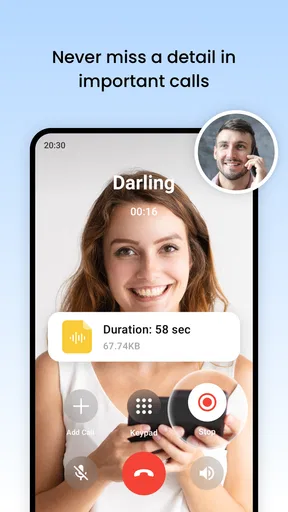
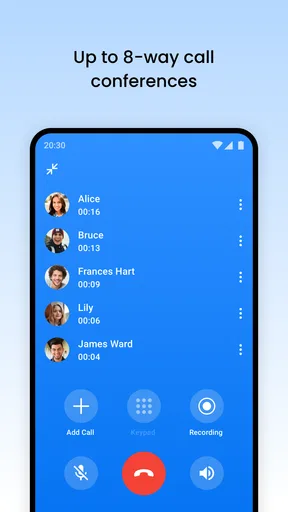
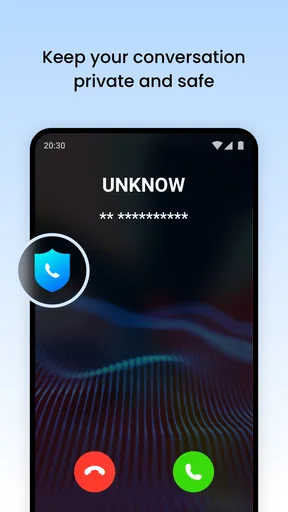
Our Review of We Call - WiFi Calling
 Analysis by Appyee
I tend to notice communication apps most when my usual connection becomes inconvenient. A weak mobile signal, a crowded place, or a conversation that keeps breaking up can turn a simple call into a tiring chore. We Call - WiFi Calling approaches that problem as a communication app from Hangout Studio, built around the basic idea of using an internet connection for calling rather than treating every conversation as something that must depend on perfect cellular coverage.
That sounds straightforward, and in daily use the appeal is exactly that simplicity. I do not open it because I want another social feed or a complicated messaging hub. I open it when I want communication to feel more direct. The app is free to download, rated for Everyone, and supports Android devices running version 6.0 or later. Its current version is 1.6.6, so it is accessible to people using both newer phones and older compatible hardware.
After spending time with it, my view is positive but practical: this is most useful when calling reliability and convenience matter more than having every possible communication feature in one place. It can make conversations easier to start and less dependent on location, but it is not automatically the best replacement for a familiar phone app, a full messaging platform, or a service built around large group conversations.
When a Wi-Fi call is the better choice
The strongest reason to try We Call - WiFi Calling is the change in communication rhythm. Traditional calling encourages me to think in terms of signal bars, carrier coverage, and whether I am standing in the right part of a room. An internet-based calling app shifts that calculation toward connection quality. If Wi-Fi is available and dependable, a call can become a more realistic option in places where ordinary mobile service is frustrating.
A useful everyday example is working from an apartment where the mobile signal fades indoors. I might receive messages normally but hesitate to make a call because I expect interruptions. With this app available, I can use the connection already serving the room and avoid repeatedly walking toward a window or stepping outside. That does not make every network perfect, but it changes the first question from “Do I have cellular coverage?” to “Is my internet connection stable enough for a conversation?”
I also found the idea useful for people who communicate across different routines. A family member may prefer a quick voice conversation while I am between tasks, whereas another person may rely mainly on text. A dedicated calling option gives the voice conversation its own place instead of forcing it into a long message thread. That separation can be helpful because it makes the purpose of opening the app clear.
The app’s store summary, “Experience Now, Communicate Without Worries,” is broad, but I interpret it less as a promise of flawless calling and more as an attempt to reduce the small obstacles around starting a call. The short description, “We Call,” is equally simple. In my experience, that simplicity is a strength when I want to get to the conversation quickly, although users looking for a deep collaboration tool will probably find the concept limited.
How the conversation feels once it starts
A good calling app should disappear into the conversation. I do not want to spend the first minute managing menus, deciding where a message belongs, or searching through unrelated features. We Call - WiFi Calling works best when I treat it as a focused route to voice communication. The less I ask it to do beyond that role, the more natural it feels.
There is an important distinction between a call being possible and a call being comfortable. Internet calling depends heavily on the quality of the connection at both ends. If one person is moving between unstable networks, audio can still become delayed or broken. That is not a problem I would blame entirely on the app, but it is a trade-off anyone should understand before making it their only calling method.
My practical advice is to make a short test call before relying on the app for something time-sensitive. This is especially sensible before a remote appointment, a conversation with someone who has limited patience for technical problems, or a call made from a shared network. A brief check can reveal whether the current connection is suitable without turning an important conversation into troubleshooting.
Another useful habit is to decide in advance whether the call needs your full attention. Internet calling makes it easy to reach someone, but easy access can also encourage casual interruptions. I prefer to start a call when I can stay present rather than opening it while simultaneously handling several unrelated tasks. The app can simplify connection; it cannot create attention that I have not reserved.
What it does to attention during the day
The convenience of a calling app has a hidden cost: it lowers the effort required to interrupt someone, including myself. A phone call feels more demanding than sending a short message, so I usually think twice before starting one. When calling becomes easier, I need a clearer personal rule about when a voice conversation is genuinely better than text.
For quick coordination, a call can save time. If two people are trying to agree on a changing plan, explaining the details aloud may be clearer than exchanging several short messages. Tone also matters. A question that looks abrupt in text can sound friendly when spoken, and a misunderstanding can often be corrected immediately.
For simple information that does not require discussion, calling may be excessive. I would not use We Call - WiFi Calling merely to send a detail that the other person can read later. A text leaves a record and allows the recipient to respond on their own schedule. This is where a conventional messaging app may be the better tool: it protects attention by not demanding an immediate response.
I found that the app is most valuable when I assign it a specific role. I use it for conversations that benefit from back-and-forth clarity, not as a default replacement for every message. That small distinction prevents the convenience from turning into a constant stream of interruptions.
Boundaries matter more than the calling button
Communication quality is not only about audio. It is also about whether people feel free to answer, decline, or return a call later. We Call - WiFi Calling can make reaching someone easier, but I still need to respect the boundary between availability and willingness to talk.
When I call someone through an internet-based service, I try to give context first if the conversation is not urgent. A short message such as “Can you talk for a few minutes?” gives the other person control over the timing. This is particularly useful when the app is being used among coworkers, relatives, or friends with very different schedules.
The same principle applies to my own routine. I would not keep the app as an invitation to be reachable at every moment. Instead, I think of it as one communication channel that I can check when I am ready. Turning a convenient calling option into an always-open door can create pressure that the app itself cannot solve.
This is also why I would be cautious about presenting it as a complete communication system for a household or team without first agreeing on expectations. People should know which channel to use for urgent matters, which one is suitable for a later reply, and whether a missed call should be returned immediately. Clear habits are more valuable than simply installing another app.
Where it fits beside familiar alternatives
Compared with the standard phone app, We Call - WiFi Calling is appealing when internet access is more dependable than mobile coverage. The regular dialer remains the simpler choice when I need a conventional call without asking another person to adapt to a separate service. It is also the safer habit when I am unsure whether the other person uses the same app or whether the current network will cooperate.
Compared with broad messaging platforms, this app feels more focused. A large chat service may be better for sending photos, maintaining group conversations, sharing files, or keeping a detailed written history. Those tools are useful when communication needs to remain asynchronous and organized. We Call - WiFi Calling makes more sense when the main objective is a direct voice exchange and I do not want the conversation buried among feeds, media, and unrelated notifications.
Compared with other internet calling services, the decision comes down to the people I need to reach and the habits I already have. An alternative may be better if my contacts are already concentrated there, if I need extensive group features, or if I want a mature ecosystem for messages and media. This app’s advantage is not that it replaces every competitor; it is that its focused purpose can reduce friction for users who mainly want calling.
That focus also helps explain who should skip it. I would not recommend making it the first choice for someone who rarely has reliable Wi-Fi, needs advanced business communication tools, or expects calling to work independently of internet conditions. I would also hesitate if all important contacts already use another platform and do not want to add a new one.
Practical questions before making it part of your routine
One question many people will have is whether it costs anything to get started. The app is free, although optional in-app purchases range from $0.99 to $19.99 per item. I would therefore install it first for the basic calling experience and only consider a purchase if I clearly understand what I am gaining. A free starting point makes experimentation easier, but it is still worth checking the purchase screen carefully before confirming anything.
Another question is whether an older Android phone can run it. The minimum operating system is Android 6.0, which gives the app a fairly broad compatibility range. On an older device, I would still pay attention to general performance, available storage, battery condition, and the quality of the Wi-Fi connection. Compatibility means the app can run on the operating system; it does not guarantee that every older phone will deliver the same smooth experience as a newer model.
People may also wonder whether the app is suitable for children because its content rating is Everyone. I read that as an indication that the app is broadly appropriate from a content perspective, not as a reason to ignore normal family guidance around calls, contacts, and screen time. Younger users may still need help understanding when to answer, when to decline, and how to avoid sharing personal information during conversations.
A further concern is whether it can replace a normal phone service. I would not make that assumption. Its usefulness depends on internet access and on the calling setup available to the people involved. For emergencies, critical work, or any situation where a connection failure would have serious consequences, I would keep a conventional option available rather than relying on one app.
Finally, some readers will ask whether the app is established enough to try. Hangout Studio’s app has passed one million installs and holds an average rating of 4.2 from around three thousand ratings. Those figures suggest that it has reached a meaningful user base, while the review count of around one hundred thirty gives a smaller written sample to consider. I see that as encouraging rather than conclusive: the best test is still whether it works well with the people I actually need to call.
My verdict on communication, clarity, and control
We Call - WiFi Calling changes the practical feeling of a call by making internet access part of the decision. For me, its value appears in ordinary moments: an indoor dead zone, a conversation that needs spoken clarification, or a situation where I want a focused calling space instead of another crowded messaging feed. It is not a magic fix for unstable networks, and it should not be treated as a universal replacement for every communication method.
I like it most when I use it deliberately. I check the connection before important calls, choose voice only when voice adds clarity, and avoid treating easy access as a demand for instant availability. Those habits turn the app from another source of interruptions into a useful option for more intentional conversations.
The real strength is not simply making calls possible; it is giving me another way to decide how and when a conversation should happen. If that matches your needs, the free entry point and broad Android compatibility make it worth trying. If you need extensive messaging, dependable service without internet, or a shared platform that everyone already uses, a conventional dialer or established communication suite may serve you better. For people who want a straightforward Wi-Fi calling option and are willing to respect the limits of internet-based communication, We Call - WiFi Calling is a sensible addition rather than an unnecessary replacement.
Verdict
Strengths of We Call - WiFi Calling
- Works over Wi‑Fi when cellular coverage is weak or unavailable.
- Can reduce roaming costs when calling from supported locations.
- Keeps your regular phone number for calls and texts.
- Useful in basements, rural areas, and buildings with poor signal.
- Usually integrates directly with the phone’s native dialer.
Limitations of We Call - WiFi Calling
- Availability depends on your carrier, country, and compatible device.
- Call quality can drop when the Wi‑Fi connection is unstable.
- Emergency calling may have location or service limitations.
- Some features may require carrier activation or extra charges.
- Background Wi‑Fi calling can increase battery and data usage.
Similar Picks in This Category
View All
Google Messages
Google LLC4.6

Gmail
Google LLC4.1

Google Meet
Google LLC4.4

Google Chrome
Google LLC4.1

WhatsApp Messenger
WhatsApp LLC4.6

Carrier Services
Google LLC4.2
Frequently Asked Questions
What is We Call - WiFi Calling and how does it work?
We Call - WiFi Calling is designed to let users place calls or communicate through an internet connection instead of relying entirely on a traditional mobile network. After installing the app, you generally need to create or verify an account and allow access to relevant permissions. Call quality depends heavily on your Wi-Fi or mobile data connection, so results may vary between networks.
Can I use We Call - WiFi Calling without a SIM card or mobile signal?
The app may be useful when cellular coverage is weak or unavailable, provided that you have a stable Wi-Fi connection and the service supports your location and account type. However, Wi-Fi access alone does not automatically guarantee that every feature will work without a SIM card. Check the app’s current requirements, supported countries, and verification process before relying on it as your only calling option.
Is We Call - WiFi Calling free to use?
Downloading an app does not always mean that every communication feature is free. We Call - WiFi Calling may offer internet-based calling options, but charges can depend on the destination, calling method, subscription terms, advertisements, or in-app purchases. Before making frequent or international calls, review the pricing information shown in the app and your store listing to avoid unexpected costs.
Does We Call - WiFi Calling provide good call quality and reliable connections?
In testing this type of Wi-Fi calling service, connection quality is primarily determined by internet speed, latency, network congestion, and the recipient’s connection. A strong private Wi-Fi network can provide clear conversations, while crowded public hotspots may cause delays, dropped calls, or distorted audio. Keeping the app updated and using a stable network can improve reliability, but performance is not guaranteed everywhere.
What permissions and privacy considerations should I know before installing it?
A calling application may request access to the microphone, contacts, notifications, and sometimes phone-related information so that it can place calls and display incoming activity. You should review each permission request carefully and read the developer’s privacy policy before creating an account. Avoid granting access that seems unnecessary, and remember that calls made through an online service may be processed according to its data and retention policies.
